
Skip to content

Help center

45 short answers about your drive, sharing, Premium, the Telegram bot and your account. Start with the questions people ask most, or search every answer below.

Topics

45 answers

Getting started

What is FileNext?

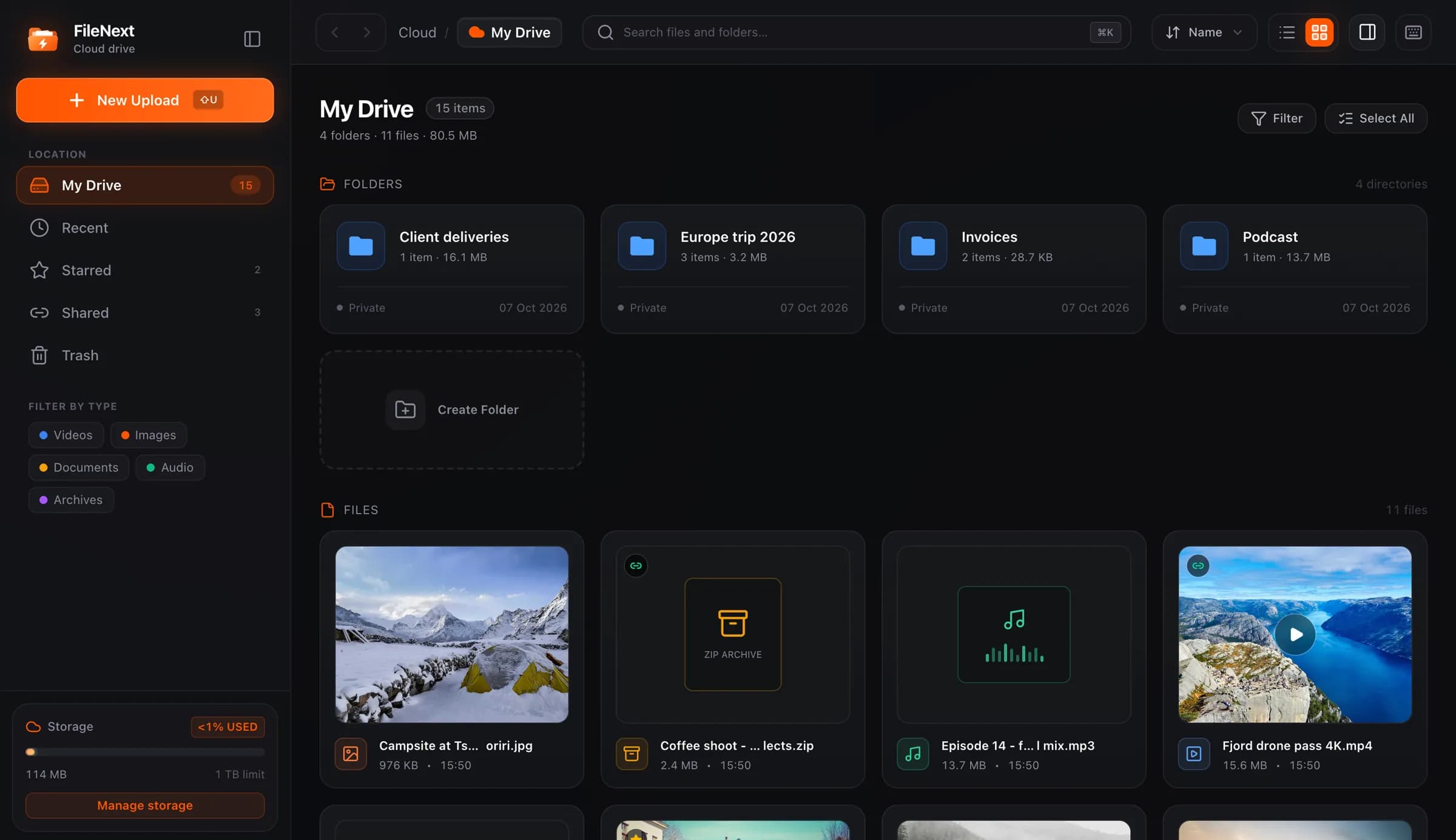
A cloud drive. Every account gets 1 TB of free storage, files of any size, previews in the browser, and share links that anyone can open. There is also a Telegram bot where you can upload videos and share them without signing up.

See the drive's features

How do I create an account?

On the web, sign up with your email address and a password of at least 8 characters, or use Continue with Google. In Telegram, the first message you send the FileNext bot creates an account for you. You can connect the two later.

Create an account

Is FileNext free?

Yes. Every account gets 1 TB of storage and every drive feature at no cost, with no card needed. FileNext Premium is optional: $1.99 a month or $19.99 a year for 5 TB of storage and extra control over your share links.

See pricing

Is there an app for my phone or computer?

The web drive works in any modern browser, on a computer or a phone. The Mac app is on the Mac App Store, and so are the apps for Android and Windows. Apps for iPhone and iPad are coming soon. The Telegram bot works anywhere Telegram does.

Download the apps

Should I start on the web or in Telegram?

Start on the web if you want a full drive for any kind of file, with folders, previews and share links. Start in Telegram if you mainly share videos from your phone and want a link without signing up. You can connect the two later and everything moves into one account.

How the bot works

Uploading

What is the largest file I can upload?

There is no limit on the size of a single file. It just has to fit in the storage you have left (1 TB on a free account, 5 TB with Premium).

What kinds of files can I upload?

Any kind on the web: videos, photos, music, documents, archives and more. The Telegram bot takes videos. Everything else goes through the website.

Can I upload a whole folder?

Yes. Drag a folder from your computer into the drive, or choose a folder in the upload menu. Its structure is kept.

My upload stopped. Do I have to start again?

No. If your connection drops, the upload carries on from where it stopped. Check your connection and the space you have left, then retry from the upload panel. Keep the original file in place until it finishes.

Where did my storage go?

Open the Storage page in the drive. It splits your space into videos, images, audio, documents, archives and Trash, so you can see what to clear first. Files in Trash still count until you delete them for good.

Can I get back a file I deleted?

Yes, while it is still in Trash: open Trash and restore it. Right after moving something to Trash you can also press Undo. A file deleted from Trash is gone for good, so keep your own backup of anything important.

How do I select and move lots of files?

Shift-click selects a range, and Ctrl-click (Cmd-click on a Mac) adds or removes single items. Then move, star, trash or download them together. Press ? in the drive to see every keyboard shortcut.

Keyboard shortcuts

Sharing

How do I share a file or folder?

Open Share on the file or folder and create a link. Copy it and send it anywhere. People open it on any phone or computer, and the file opens in the free FileNext app.

Are my files public when I upload them?

No. Files are private until you create a link. A folder link gives access to everything inside that folder, so check what it holds before you share it.

How we protect files

What do people see when they open my link?

A page with the file's cover, name and size, and Play and Download buttons. Pressing either opens the file in the free FileNext app. A shared folder lists its files with their covers. Viewers can also save a copy to their own drive. Every share page has a Report button.

How do I stop sharing a link?

Open Share on the item and choose Turn off link. The link stops working for everyone straight away. It can't recall copies that people already downloaded.

Can I download many files at once?

Yes. In your drive, select several files or a folder and download them as one ZIP.

Previews

Which files open in the browser?

Videos, music, photos, PDFs and text files open right in the browser in your drive. On share pages, files open in the FileNext app. Other files can still be downloaded and shared.

What can the video player do?

Seek anywhere in the video, change the playback speed, turn on subtitles and pop the video out with picture-in-picture. You can also step through the files in a folder without closing the viewer.

Why does a shared video play in SD?

On shared links, free viewers stream and download videos in SD (below 720p). Viewers signed in with Premium get HD (720p and up) and original-quality downloads. The quality depends on the viewer's account, not the owner's. Owners always get their own files in original quality. A video that was just uploaded may take a little while before every quality is ready.

About Premium

What are covers and can I change them?

A cover is the picture shown for a file in your drive and on its share page. Videos, photos and music get one automatically. To pick your own, open the file's details or right-click it and choose Change cover. JPEG, PNG, WebP and GIF up to 10 MB work. In the Telegram bot, use Covers.

Premium and billing

What does Premium include?

5 TB of storage. Password-protected share links. Expiry dates on share links. Download limits on share links. Stats for every link: opens, plays and downloads. HD streaming (720p and up) and original-quality downloads on shared videos. Priority support. It costs $1.99 a month or $19.99 a year.

See pricing

How do I get Premium?

Get it in the FileNext app — on Android through Google Play, or on Mac (iPhone and iPad coming). It isn't sold on the website. The store may show the price in your local currency.

Get the apps

Does Premium work on the web and my other devices?

Yes. Premium belongs to your FileNext account, not to a device, so it is active wherever you sign in, including the web drive. On a new iPhone, iPad or Mac, sign in and use Restore Purchases if it doesn't show up straight away.

How do I cancel or switch plans?

Through the store you paid. On iPhone or iPad, open Settings, tap your name, then Subscriptions. On a Mac, open the App Store, click your name, then Subscriptions. You can switch between monthly and yearly there too. Premium renews until you cancel and stays active until the end of the period you paid for. Refunds are handled by Apple.

Manage Apple subscriptions

What happens when Premium ends?

Your files stay. Your storage goes back to 1 TB, and if you're using more than that, new uploads wait until you make room. Passwords, expiry dates and download limits already on your links keep working, but you can't add new ones.

How do I reach priority support?

Use Email priority support on the Account page, or write to support@filenext.in from your account's email address with [Premium] at the start of the subject. Premium requests are answered first.

Telegram bot

What can I do in the Telegram bot?

Send a video to upload it and get a share link, plus a card with the cover that you can post. Set covers, add a header and footer to the posts it sends back, list your videos, and connect the bot to a web account.

Open the bot

Why does my video look worse after sending it to the bot?

Telegram compresses anything sent as a video. Send it as a file instead (the paper-clip menu, then File) and the bot gets the original.

Sharing large videos on Telegram

What is the card the bot sends back?

After the share link, the bot sends a ready-made post: the cover, the title and a Watch on FileNext button. Use Header and footer in the bot to add your channel's name above and below it, and the channel link replacer to swap other channels' links for yours.

How do I connect Telegram to a web account?

In the bot, tap FileNext account to get a one-time link that works for 15 minutes. Open it, sign in or create a web account, and connect. Your videos and covers move into the web account. If you start on the web, use Connect Telegram on the Account page.

The bot couldn't take a large video. What now?

Upload it on the website instead, which has no file size limit. Share it from the drive the same way.

Can the bot take photos, PDFs or ZIP files?

No. The bot takes videos only. A photo you send after picking a video in Covers becomes that video's cover. Every other file type goes in the web drive.

Your account

I forgot my password.

Choose Forgot password? on the sign-in page and we'll email you a link to set a new one. If you signed up with Google, use Continue with Google instead.

Reset your password

Where are my account settings?

On the Account page in the drive. It shows your storage and Premium, your Telegram connection (with Connect or Disconnect), the apps, and the option to delete your account.

How do I keep my account safe?

Use a password you don't use anywhere else, and keep your Telegram account secure, because it can reach your files. We never ask for your password by email or in the bot.

Read about security

How do I delete my account?

On the web, open the Account page and choose Delete account. In the apps, it is at the bottom of Account. Deleting is permanent: your files, folders and share links go with it. If you have Premium, cancel the subscription in your store account first.

Deleting your account

Can I get a copy of my data?

Yes. Send a privacy request from the email address on your account. We may need to confirm the account is yours before we act.

Send a privacy request

Reporting

How do I report a file?

Use the Report button on the file's share page, or send the link to the takedown bot on Telegram. Pick a reason, add details, and you get a ticket number.

How reporting works

How do I check on a report?

Send /status and your ticket number to the takedown bot, for example /status K7QX2MD. Tickets from the Report button work too.

What happens if my file is reported?

A moderator reviews it. If it breaks the rules, its link stops working and the bot tells you why. Serious or repeated violations lead to a ban. If the report is dismissed, nothing changes.

I think my file was removed by mistake.

Contact us with the link, your account email or Telegram username, and why you have the right to share it. For copyright removals, send a counter-notice as the copyright policy describes.

Counter-notice steps

I found content that exploits a child.

Report it right away with the child safety reason. Don't download, screenshot or share it, even as evidence; the link is all we need. We remove it and report it to the authorities.

Urgent reporting

More detail on these pages.

Pricing

1 TB free, and what Premium adds.

Download the apps

The Mac app now, and what's coming next.

The Telegram bot

Upload videos from your phone and share them.

The blog

Longer guides on storage, sharing and video.

Report content

Reasons, copyright claims and what happens next.

Delete your account

Where to do it and what is removed.

Privacy policy

What we keep, why, and for how long.

Still stuck? Write to us.

Tell us what you were trying to do and what happened instead. If you use the bot, include your Telegram username.