
Upload it, open it, send a link.
FileNext is a drive in your browser. Here is what happens from the moment you add a file to the moment someone else opens it.
The whole loop, in five moves.
Every file on FileNext goes through the same few steps. Nothing here needs an install.
- Add files or whole foldersDrag them in or pick them. No limit on file size, only on your total storage.
- Folders, stars and coversMove things where they belong. Videos, photos and music get a cover on their own.
- Copy one linkOpen Share on any file or folder. The link is ready to paste anywhere.
- They open the linkThe page shows the cover and the details. Play or Download opens the file in the free FileNext app.
- Turn the link offWhenever you like. It stops working for everyone who has it.
Drop files in. They land where you left off.
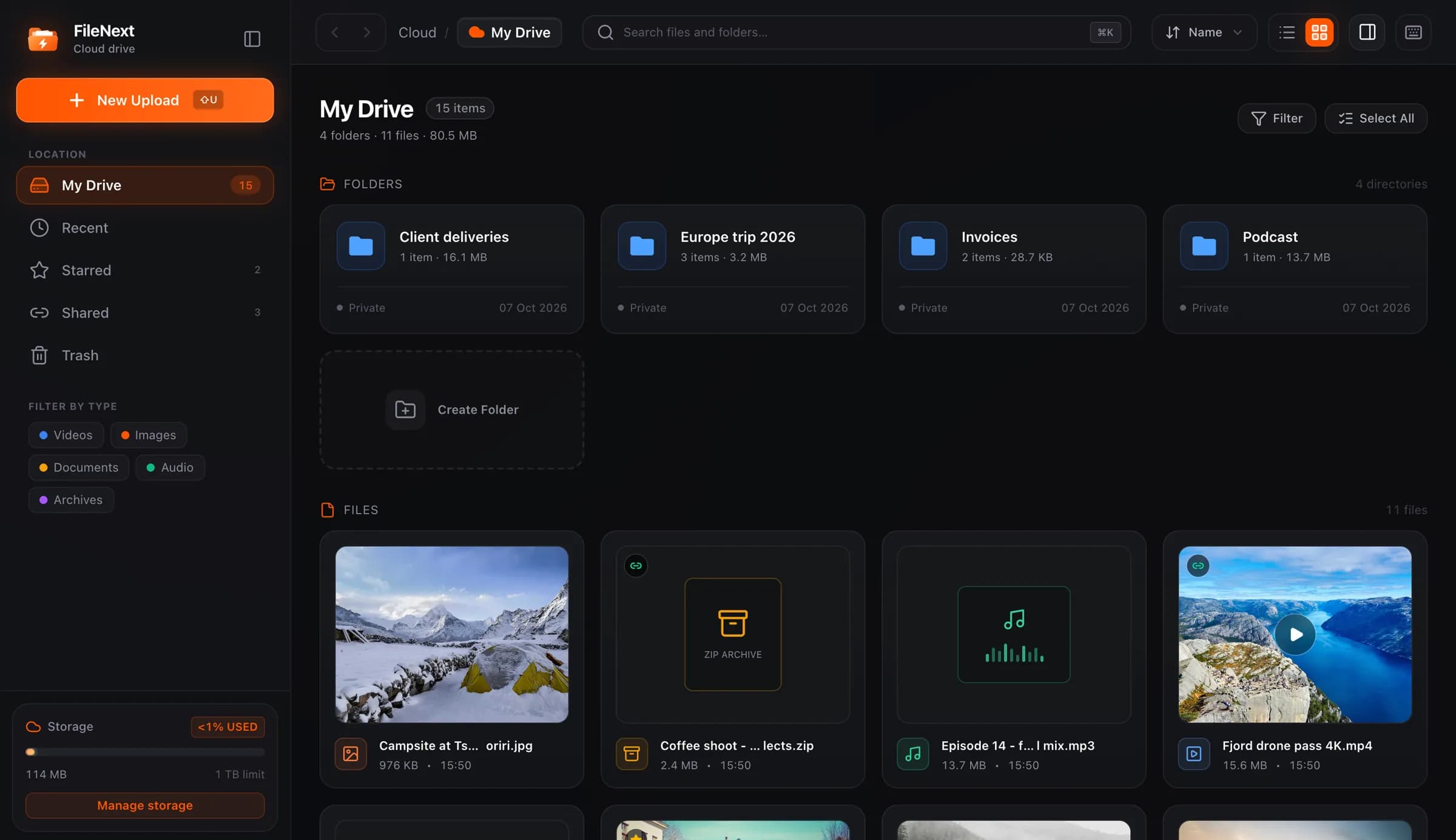
Drag files or a whole folder into the drive, or press Upload. There is no limit on the size of a single file, and if your connection drops the upload carries on from where it stopped.
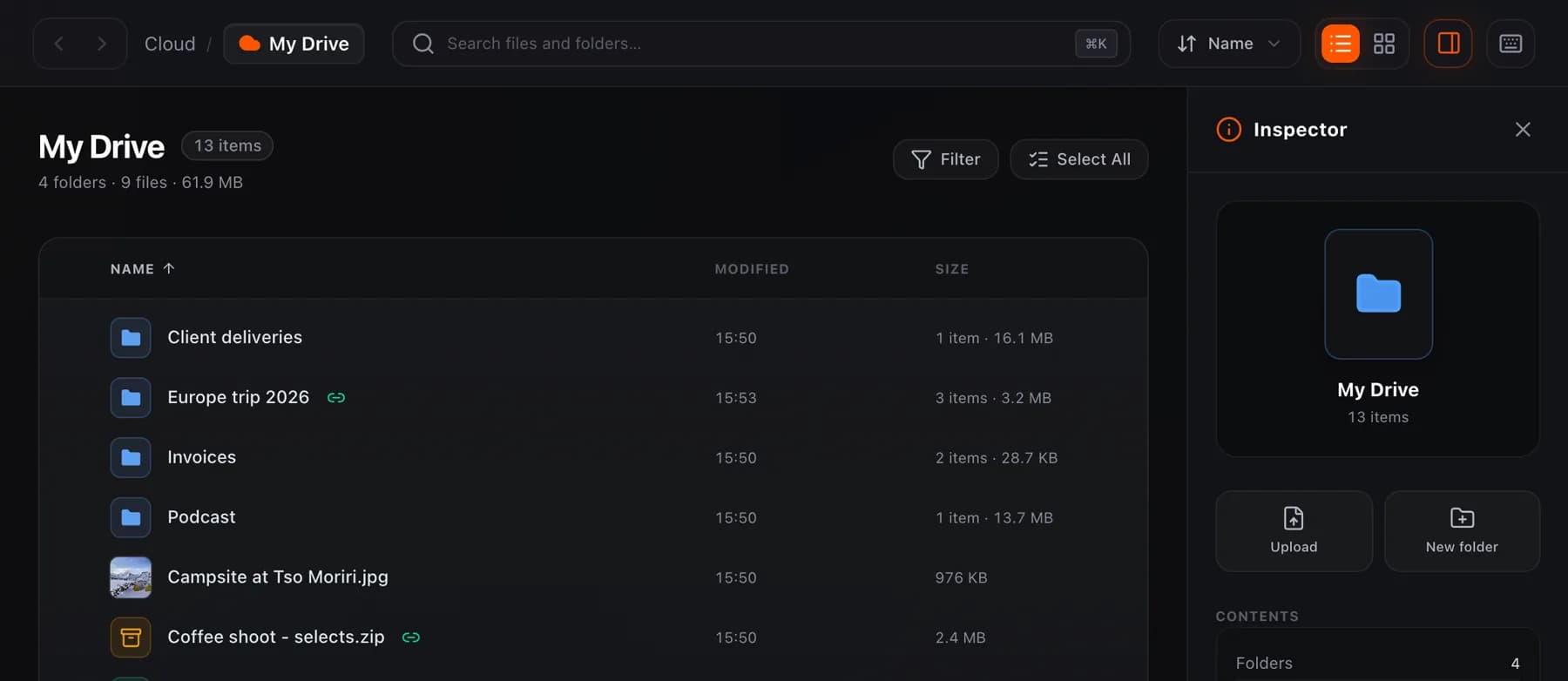
Switch to the list view when you want names, dates and sizes at a glance.
Sharing is one dialog.
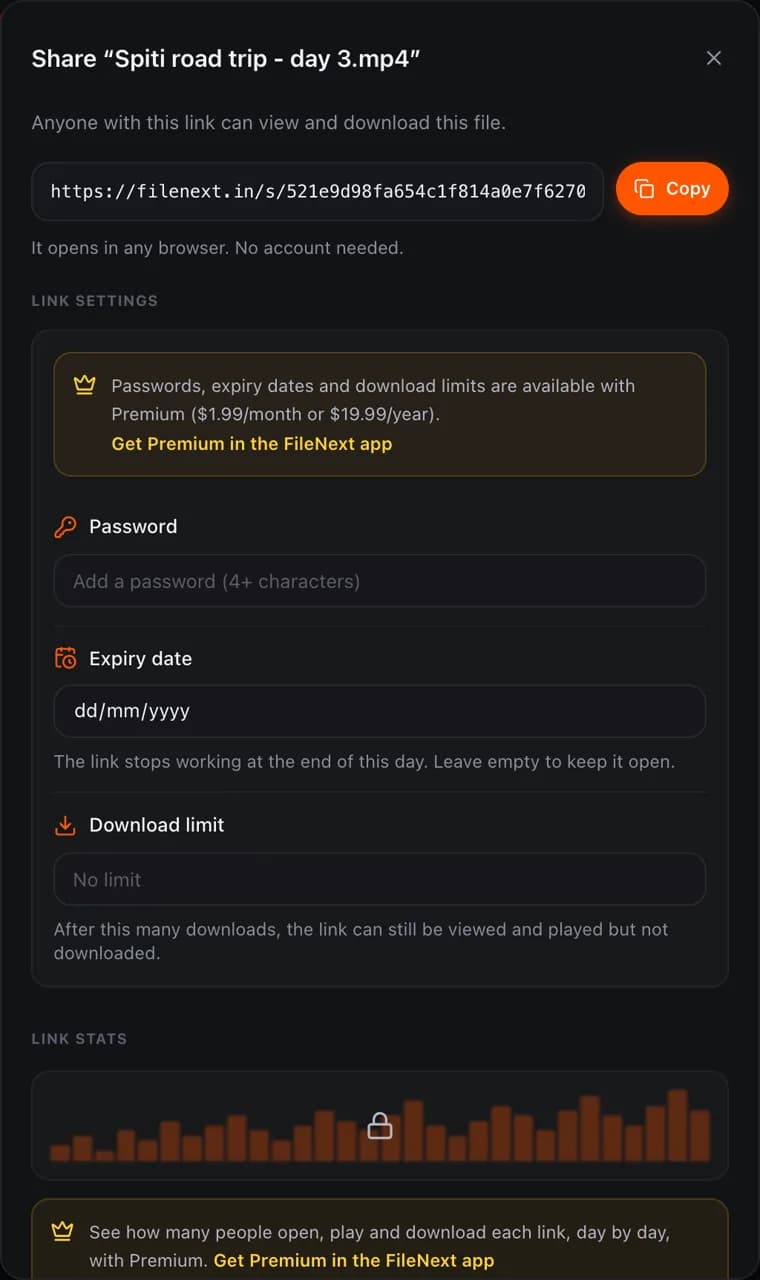
Open Share on a file or folder and the link is already there. Copy it and send it in a chat, an email or a post.
- Anyone with the link can view and download
- The link opens on any phone or computer
- Turn it off later and it stops working everywhere
With Premium the same dialog also adds a password, an expiry date or a download limit, and shows how often the link is opened.
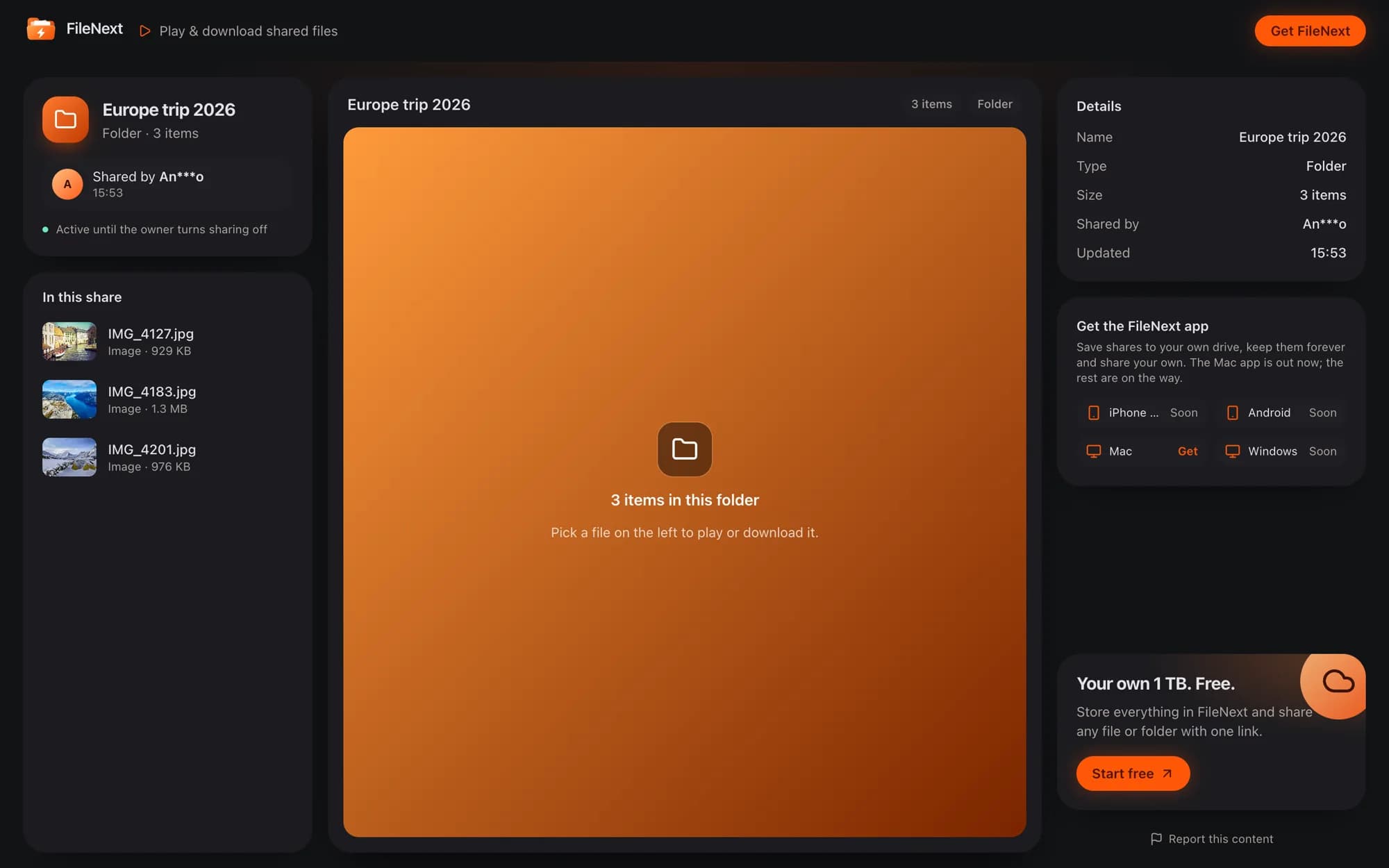
What the person you share with sees.
A plain page with the files you shared, who shared them, and a way to open or download each one.
No sign-up
Pick a file from the list
Save to their own drive
Video quality
Started in Telegram? Bring it to the web.
If you upload through the Telegram bot, you can connect it to a web account and see the same files in the drive.
- Tap FileNext accountOpen the bot and tap the FileNext account button.
- Open the one-time linkThe bot sends a link that works once.
- Sign in or sign upUse an existing web account or make a new one on the same page.
- Check and connectYou see how many videos and files will move, then confirm.
Connecting can't be undone.
Your Telegram videos and files move into the web account you pick, and from then on the bot uses that account. More about the bot
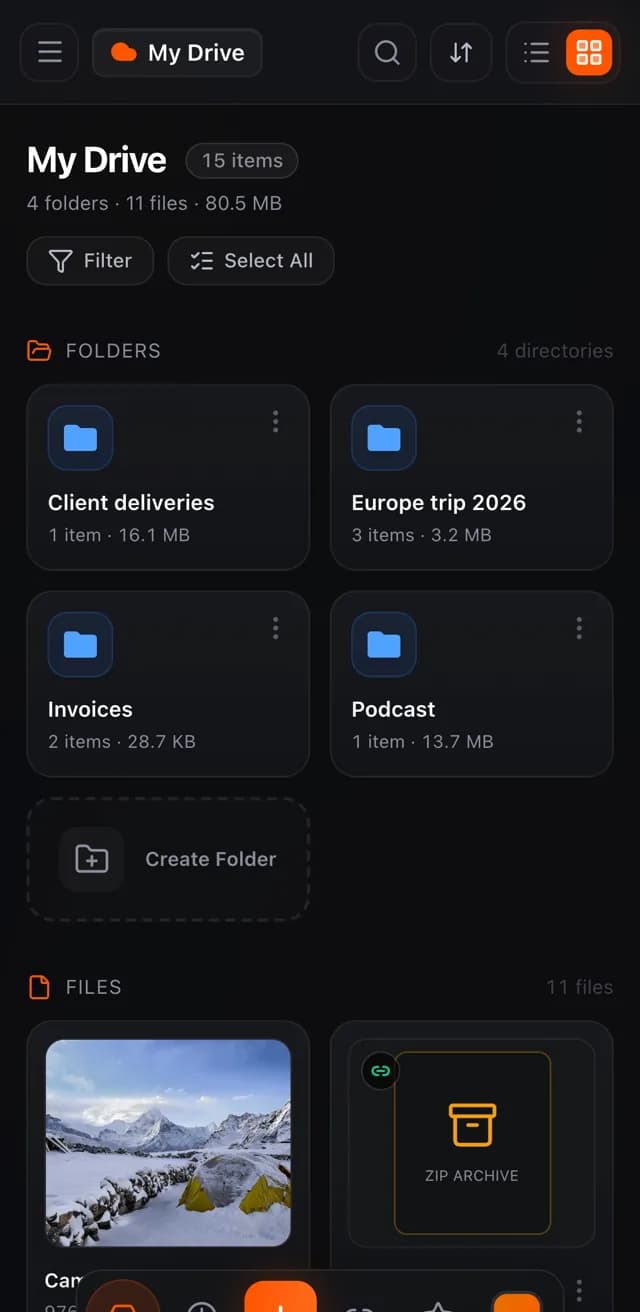
The same drive on your phone.
Open FileNext in your phone's browser and sign in. Folders, files and uploads work the same way, laid out for a small screen.
Nothing to install, and nothing to keep in sync: it is the same account everywhere you sign in.
Questions about getting started.
Do the people I share with need an account?
What happens if my upload is interrupted?
How big can a file be?
Can I stop sharing something?
What happens when I delete a file?
Is there an app?
Try it with one file.
1 TB free. Upload something, open it, and send yourself the link.